


6 Best AI Outfit Generators: Top Virtual Try-On Apps & Tools

2026/05/04

- Top 6 Free AI Virtual Try-On Apps & Websites You Must Try!
- AI Clothes Changer FAQ
- The Ultimate AI Fashion Tool: GenApe
Struggling to visualize your next look? AI Outfit Generators are here to revolutionize your wardrobe. Using advanced AI technology, you can seamlessly swap clothes on any photo and experiment with countless styles. Whether you are a fashion enthusiast or a content creator, these AI clothes changer apps allow you to "try before you buy" with just one click.
Ever found the perfect outfit online but hesitated because you weren't sure it would suit you? A Virtual Try-On tool is the ultimate solution. By leveraging AI, you can instantly see how different garments look on your body without ever stepping into a fitting room. Today, we’re highlighting the 6 best free AI clothing swap websites and apps to help you elevate your style effortlessly!
Top 6 Free AI Virtual Try-On Apps & Websites You Must Try!
As AI technology evolves, the digital fitting room experience has become incredibly realistic. Here are five fast and reliable AI clothes changer tools available on web and mobile to help you find your signature look from the comfort of your home.
GenApe
GenApe is an all-in-one AI creative platform designed specifically for e-commerce and digital marketing. Beyond standard AI image and video generation, GenApe excels at AI virtual try-on. It allows brands to create professional product photos using virtual models or individuals to swap outfits with high precision. Here is how to use GenApe's AI Clothes Changer:
Go to the GenApe website and select "AI Product Image."
Upload your clothing item, a model photo, and a background.
Enter
Prompts to refine the style, texture, or lighting of the outfit.Click "Generate" to download your high-quality virtual try-on photo.

PixPretty
PixPretty is a free online AI clothes changer that lets you realistically swap outfits with a single click. This powerful tool is perfect for previewing online purchases, mixing and matching your OOTD, or experimenting with festive styles—all while ensuring a high-definition fit that mimics real-world lighting and fabric textures.
How to Use the PixPretty AI Outfit Generator:
Access the website and select the AI Dressing feature.
Upload a clear photo of yourself (full-body or half-body shots work best).
Choose a pre-set style or upload the specific clothing item you want to try (from streetwear to formal gowns).
Let the AI generate your look, then download your high-res transformation instantly.

*Platform Support: Web-based (Desktop/Mobile). 100% Privacy Guaranteed—your photos are deleted immediately after processing.
MyEdit
MyEdit is a powerful browser-based AI editor that offers a highly accessible AI outfit generator. With a wide array of styles for both men and women—including over 24 female and 17 male fashion categories—you can switch from "Quiet Luxury" to "Streetwear" in seconds. Follow these steps:
Visit the MyEdit site and select the "AI Outfit" tool.
Choose your gender and desired fashion style.
Upload a clear photo (half-body shots without hands covering the body work best).
Wait a few seconds for the AI to generate your stylish new look.
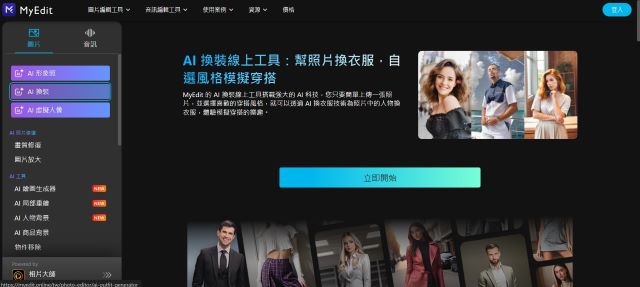
Image Source: MyEdit Official Site
Picsart
Picsart is a world-renowned AI-powered creative suite used by millions of creators. Its "AI Replace" feature is perfect for those who want specific control over clothing swaps. Here is how it works:
Open the Picsart app or web editor and choose "AI Replace."
Upload the image you want to edit.
Brush over the clothing area you wish to change.
Type a description of the new outfit in the prompt box.
Click "Export" to save your AI-generated fashion photo.
*Supported Platforms: Windows, Android, iOS
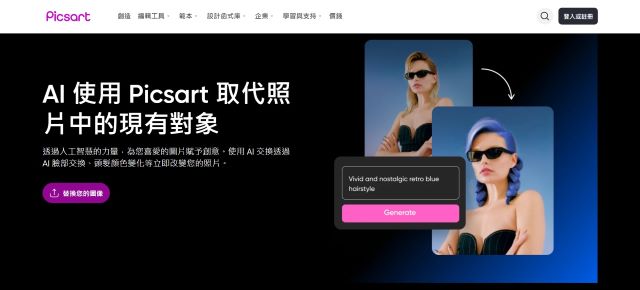
Image Source: Picsart Official Site
PhotoDirector
PhotoDirector is a top-tier mobile app for portrait editing and creative AI effects. Its virtual try-on feature includes themed outfits for various occasions, from festive holiday wear to professional attire. Steps for AI try-on:
Open the PhotoDirector app and tap on "AI Avatar" or "AI Outfit."
Select gender and choose the fashion styles you’d like to explore.
Upload a clear full-body or half-body photo.
Generate and export your AI virtual try-on photos instantly.
*Supported Platforms: Windows, Android, iOS

Image Source: PhotoDirector App
Vivid Glam
Vivid Glam is a specialized AI beauty and camera app that focuses on social-ready aesthetics. Similar to PhotoDirector but more streamlined for influencers, it offers "AI Hair" and "AI Try-On" to help you preview trending looks. Steps to follow:
Select "AI Try-On" from the main menu.
Upload your portrait.
Pick your gender and fashion preference.
Download your new outfit photo once the AI finishes rendering.
*Supported Platforms: iOS

Image Source: Vivid Glam App Store
AI Clothes Changer FAQ
While AI outfit generation is incredibly convenient, you might have questions about achieving the best results. We’ve compiled the most common FAQs to ensure your virtual fitting session goes smoothly.
Which app is best for changing clothes on ID photos?
For formal headshots or ID photos, **GenApe** is highly recommended. It allows for precise control via prompts, enabling you to generate professional attire like blazers or dress shirts that look realistic and meet formal requirements.
What fashion styles can I try with AI?
Modern AI Outfit Generators offer a vast range of styles, including Athleisure, Quiet Luxury, Streetwear, Business Formal, and even seasonal costumes. They are perfect for both shopping decisions and finding daily outfit inspiration.
How can I get the best results from a virtual try-on?
**Avoid all-white clothing:** AI may struggle to capture shadows and depth on pure white fabrics.
**Contrast with hair:** If you have dark hair, try to avoid wearing a pure black top to help the AI distinguish edges clearly.
**Use high-quality photos:** Ensure your face is clear and the lighting is even for a seamless blend.
The Ultimate AI Fashion Tool: GenApe
After finding your perfect look with the GenApe AI Clothes Changer, why stop there? You can bring your photos to life with our AI Video Generator. GenApe provides a complete suite of AI tools for social media and e-commerce, allowing you to go from image generation to copy writing in one place.
Start Using GenApe AI Now to Enhance Productivity and Creativity!
Collaborate with AI and accelerate your workflow!
Try Now- 1.Top 6 Free AI Virtual Try-On Apps & Websites You Must Try!
- 2.AI Clothes Changer FAQ
- 3.The Ultimate AI Fashion Tool: GenApe
Related Articles

5 easy-to-use report generators, let AI write reports!
In the workplace, writing reports is a must-have skill for everyone. With the development of the AI industry, reports can also be completed through AI. Today, GenApe will teach you how to write a report and introduce 5 useful report generators. Reduce your time to prepare reports and improve productivity.
Last Updated: 2025/04/08
6 Best AI Interior Design Tools for Easy Virtual Home Makeovers
Did you know that AI can now be applied to interior design? With the help of AI interior design tools, users can easily create interior design plans in just 30 seconds. Whether it's for interior design companies to showcase to clients or for individuals to present their home decoration ideas to designers, it’s all possible with simple usage that can simulate professional quality. This article will detail several practical home design AI apps and explain how to use them, allowing everyone to effortlessly create their ideal living space.
Last Updated: 2026/05/04
Best AI Girl Generator Online &Create AI Girl Images tutorial
Do you want to create AI girl images that match your aesthetic preferences? Creating AI beautiful girls is actually quite easy. All you need is a few AI Girl Generator Onlin or reference images to craft stunning images effortlessly! With the latest AI technology, your AI beauty images can now be incredibly lifelike. Let’s walk you through the process of generating AI beautiful women photos!
Last Updated: 2025/12/11

